Every receipt, photo, and delivery — one place.
The Pope's designer dashboard is built for the way designers actually work. No email hunts, no phone tag with the warehouse, no wondering whether the marble top made it in.
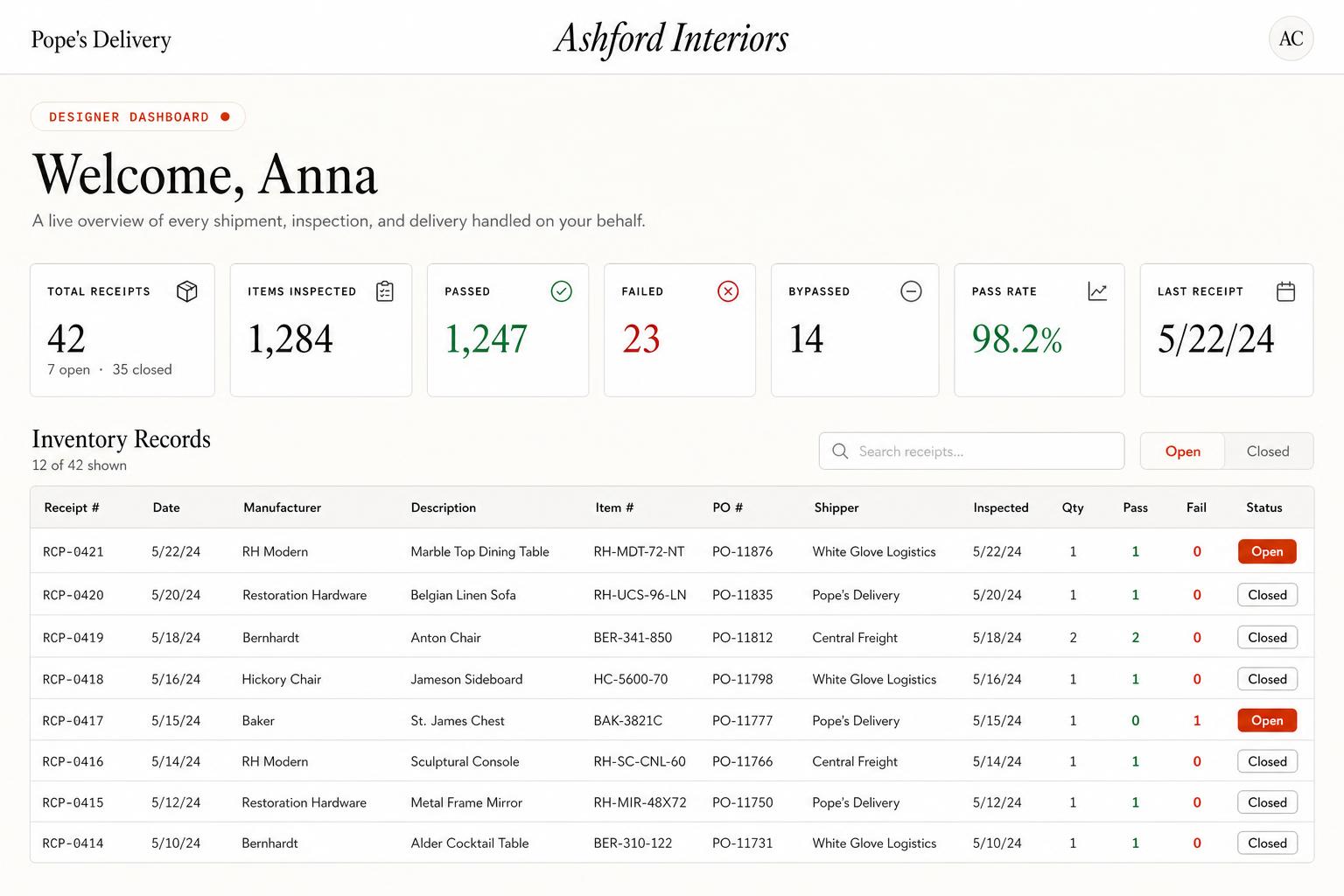
Sign in today to see your dashboard!
Sign inA dashboard shaped by the trade.
Six core areas — every one exists because a designer asked for it.
Inventory receipts
Every shipment shows up as a receipt with photos, dimensions, item counts, and any damage flagged on inspection.
- Search by customer, PO#, or vendor
- Open-box photos on every piece
- Legacy INV##### numbers carry over
Delivery lists
Group items by customer and install phase. Move things between groups without emailing anyone.
- Organize by customer & phase
- Mark groups complete as you go
- Dispatch pulls straight from your lists
Delivery tickets
Every scheduled install gets a DT-# ticket with the items, address, and time window — shareable with building managers or your team.
- Address + time window on every ticket
- PDF manifest ready to hand off
- Share with client or building staff
Notifications & digests
Daily notification of new receipts with a PDF summary suitable for your project files. Photos attached. Nothing to hunt down.
- Morning digest of new arrivals
- Branded PDF for project files
- Photos attached automatically
Team access
Add PMs, assistants, or bookkeepers with the visibility level you want. Access is granular, not all-or-nothing.
- Per-user permission levels
- PMs, assistants, bookkeepers
- Scope by project when needed
Built for designers
We built the dashboard because off-the-shelf warehouse software wasn't good enough for the trade. Every screen exists because a designer asked for it.
- Trade-first, not adapted from 3PL
- Shaped by real designer feedback
- Actively maintained in-house
Ready to see it with your projects in it?
Request designer access and we'll set up your dashboard, walk you through the workflow, and get your first shipment on the calendar.